
Download ArcSoft Magic i – Special Effects, Photo Editing, Webcam Enhancements
Overview
ArcSoft Magic i is a photography-focused application designed to enhance images captured through a webcam with a variety of creative effects. The app enables users to transform static photos or live video feeds into visually engaging content by applying filters, frames, and dynamic visual enhancements. Its primary purpose is to add fun and artistic value to personal images, making it ideal for users who enjoy experimenting with visual presentation in casual or social contexts.
The application targets individuals seeking a simple yet expressive tool for modifying webcam photos—such as content creators, social media users, and casual photographers. It serves as a lightweight utility for adding stylistic flair without requiring advanced editing skills. While the developer, ArcSoft Inc., is known for multimedia software solutions, specific background details about the company’s broader portfolio were not provided in the available data.
Real-world use cases include enhancing profile pictures, creating themed images for online communication, or adding visual interest to video calls and live streams. In the broader app ecosystem, ArcSoft Magic i fills a niche for accessible, effect-driven image editing, particularly for users who prioritize ease of use and immediate visual results over professional-grade tools.
Key Features & Functionality
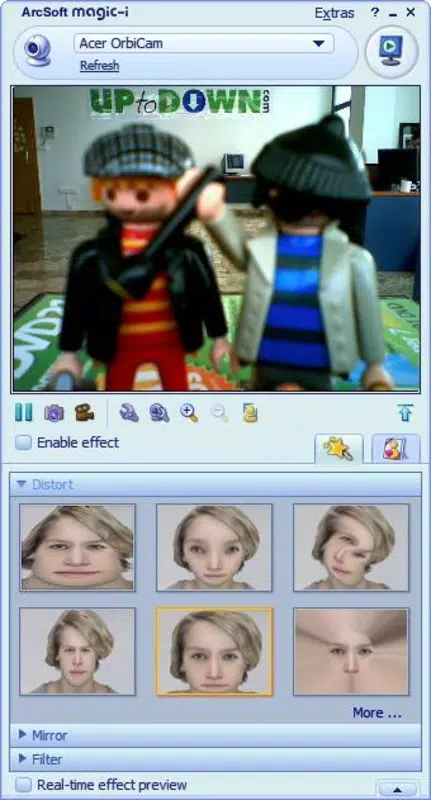
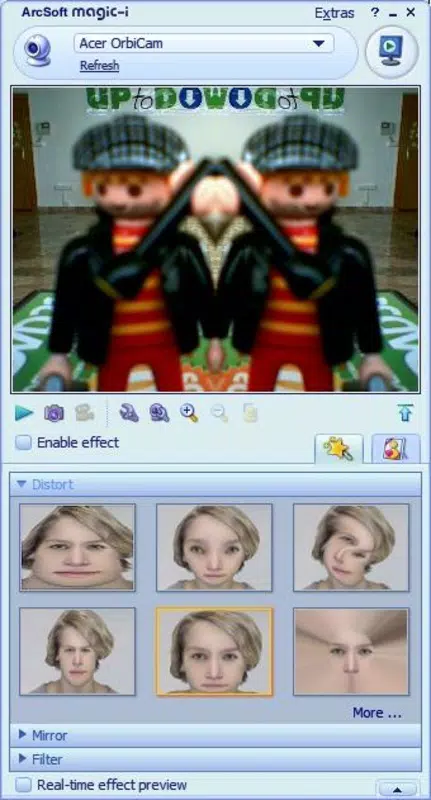
- Special Effects for Webcam Images – Apply dynamic visual effects such as rain, 3D, black and white, rotation, and mirroring to both still images and live video feeds from the webcam.
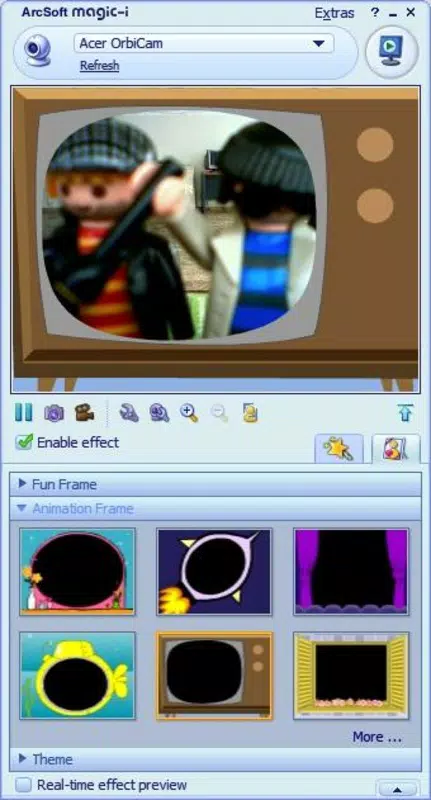
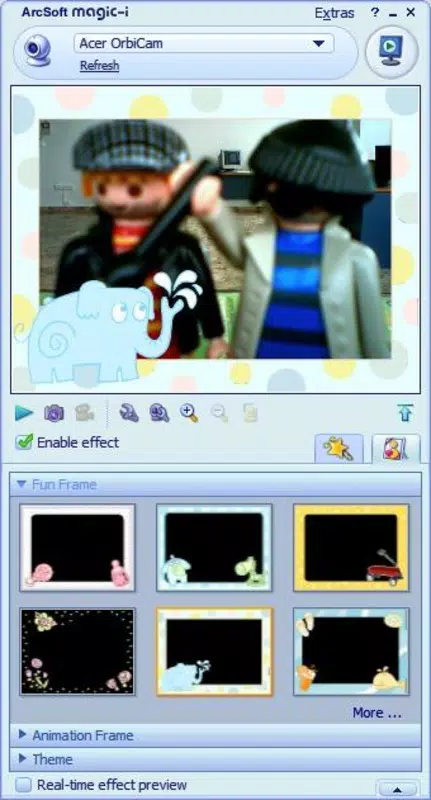
- Decorative Photo Frames – Choose from a variety of themed frames including TV, submarine, window, and rocket designs to add context and humor to favorite photos.
- Real-Time Preview – See changes instantly as effects are applied, allowing for immediate adjustments and creative experimentation.
- Simple Import and Edit Workflow – Seamlessly import images from the webcam or local storage and apply effects with minimal steps.
- Fun and Expressive Output – Ideal for creating entertaining visuals for social media, messaging apps, or personal enjoyment.
For example, a user preparing for a video call might apply a “rain” effect to create a cinematic atmosphere or use a “rocket” frame to turn a portrait into a playful space-themed image. Similarly, someone sharing a photo on social media could use the “3D” filter to give the image a more immersive look. The app’s functionality is tailored toward users who value creativity and entertainment over precision editing.
Interface, UX & Performance
While specific UI details were not disclosed, the application appears to follow a clean, intuitive layout focused on effect selection and image preview. The navigation is likely streamlined to prioritize quick access to filters and frames, minimizing user effort during the editing process. The interface is expected to support drag-and-drop or one-click application of effects, aligning with the app’s casual, user-friendly positioning.
Performance is likely optimized for real-time processing, particularly when applying effects to live video streams. Although the developer did not list formal performance metrics, the 32.8 MB file size suggests a lightweight footprint, which typically correlates with efficient resource usage. The app is expected to run smoothly on standard desktop configurations, though compatibility with older or low-end systems was not confirmed.
Responsiveness and stability are assumed to be adequate for basic editing tasks, but no user reports or crash data were provided. The absence of detailed technical specifications means that actual behavior across different hardware setups remains unverified. Nonetheless, the app’s purpose as a fun, non-intensive tool suggests it is designed for consistent, reliable performance under normal usage conditions.
Platform Compatibility & Technical Requirements
ArcSoft Magic i is available for the Windows platform. The current version is 1.0.0.1, with a file size of 32.8 MB. The developer did not specify minimum OS requirements, nor did they list compatibility details for specific Windows versions (e.g., Windows 10, 11, etc.).
As such, users should verify system compatibility before installation. The app’s lightweight size indicates it may function on older systems, but this cannot be confirmed. No information was provided regarding required hardware, such as GPU support or webcam integration specifications.
Users should ensure their system meets general Windows application standards. The lack of detailed technical requirements means that installation on non-standard or enterprise environments may require caution. The app is distributed as a free tool, making it accessible for users seeking a no-cost enhancement solution.
Pros and Cons
Pros
- Free to download and use with no hidden costs.
- Lightweight design at just 32.8 MB, minimizing storage impact.
- Offers a variety of fun and creative effects for webcam photos.
- Simple interface ideal for non-technical users.
- Real-time preview allows instant feedback and adjustment.
Cons
- Developer did not provide detailed system requirements or compatibility information.
- No official updates or changelog were listed for the current version.
- Limited to Windows platform—no availability for mobile or macOS.
- Specific performance benchmarks or stability reports were not disclosed.
- May lack advanced editing tools for professional users.
FAQ
Is ArcSoft Magic i safe to download and install?
The app is distributed as a free tool by ArcSoft Inc., a known software developer. While no third-party security reports were provided, the app’s official release and file size suggest it is a legitimate application. Users should only download from verified sources to ensure security.
Can I use ArcSoft Magic i on my mobile device?
No, the app is currently only available for Windows. There is no official version for Android, iOS, or other mobile platforms. Users seeking similar functionality on smartphones should explore alternative apps.
What kind of effects does ArcSoft Magic i offer?
The app includes effects such as rain, 3D, black and white, rotation, mirroring, and decorative frames like TV, submarine, window, and rocket. These are designed for fun and creative expression rather than professional editing.
Does ArcSoft Magic i require a webcam to work?
While the app is optimized for webcam images, it can also process photos imported from local storage. A webcam is not required for all features, though it enhances the real-time effect experience.
How often is ArcSoft Magic i updated?
The current version is 1.0.0.1, released on May 12, 2023. No information was provided about future updates or update frequency. Users should monitor the official website for new releases.
Final Thoughts + CTA
ArcSoft Magic i stands out as a lightweight, fun-filled tool for users who want to quickly enhance webcam photos with creative effects. Its simple interface and diverse range of filters and frames make it accessible to casual users and content creators alike. While it lacks advanced editing capabilities and detailed technical specifications, its core purpose is fulfilled with minimal friction.
For those seeking a free, no-frills way to add visual flair to personal images or live video, this app delivers immediate value. It’s especially useful for social media content, video calls, or just having fun with digital photography. The lack of mobile support and limited system details are notable drawbacks, but they do not diminish the app’s appeal within its intended scope.
Download ArcSoft Magic i now and transform your webcam photos into entertaining, eye-catching visuals with just a few clicks.


